
Anúncios
Playing GTA on your phone sounds like a dream, but the reality involves app stores, file sizes, and a few smart choices along the way. 🎮
Rockstar Games brought several classic titles to mobile, letting players explore San Andreas, Vice City, and Liberty City straight from their pocket. No console or PC required anymore.
Choosing the right app, checking your device specs, and knowing what to expect from touchscreen controls makes the difference between frustration and genuine fun. Let’s break it all down.
Which GTA Titles Are Actually Available on Mobile?#
Not every GTA game made the jump to smartphones. Rockstar has been selective, porting only specific entries that work well with touch controls and mobile hardware limitations.


- GTA: San Andreas — the most popular mobile port, released in 2013
- GTA: Vice City — a 1980s-themed classic, optimized for touchscreens
- GTA III — the original 3D entry that started the modern series
- GTA: Liberty City Stories — originally a PSP title, later adapted for mobile
GTA V and GTA Online have never received an official mobile port. Rumors circulate every year, but Rockstar hasn’t confirmed anything concrete for smartphones or tablets.
Why Hasn’t GTA V Come to Mobile Yet?#
The game’s open-world complexity, physics engine, and online infrastructure demand processing power that most phones still can’t handle smoothly. Streaming services like GeForce Now offer a workaround, but that’s a different experience entirely.
System Requirements You Shouldn’t Ignore#
Before downloading anything, check if your device meets the minimum specs. Installing a game that your phone can’t run leads to crashes, lag, and wasted storage space.
| Game | Minimum RAM | Storage Needed | OS Requirement |
|---|---|---|---|
| GTA: San Andreas | 2 GB | 2.5 GB | Android 8.0 / iOS 12 |
| GTA: Vice City | 1 GB | 1.5 GB | Android 6.0 / iOS 10 |
| GTA III | 1 GB | 1.3 GB | Android 6.0 / iOS 10 |
Older budget phones often struggle even when specs technically match, since GPU quality varies wildly across manufacturers. A mid-range device from the last three years generally handles these titles without issues.
Step-by-Step: Installing GTA on Your Smartphone#
The process is straightforward, but skipping steps can cause problems later. Follow this sequence for a clean installation.
- Open the Play Store or App Store and search for the specific title
- Verify the developer is listed as Rockstar Games to avoid fake clones
- Check available storage — clear at least 1GB extra beyond the minimum requirement
- Download over Wi-Fi to avoid mobile data charges, since files exceed 1.5GB
- Launch the app once and let it finish initial data extraction before playing
That last step matters more than people realize. Some installations extract additional files on first launch, which can take several minutes depending on your device.
Common Installation Errors and Fixes#
Users frequently report a few recurring issues. Here’s how to solve them quickly:
- “Insufficient storage” error: delete cached files from other apps, not just photos
- App crashes on launch: update your device’s OS to the latest available version
- Black screen after loading: restart the phone and clear the app’s cache in settings
Touch Controls vs Physical Controllers#
Native touch controls work, but they’re not ideal for precise driving or combat sequences. Rockstar designed on-screen buttons that mimic a controller layout, though sensitivity varies by game.
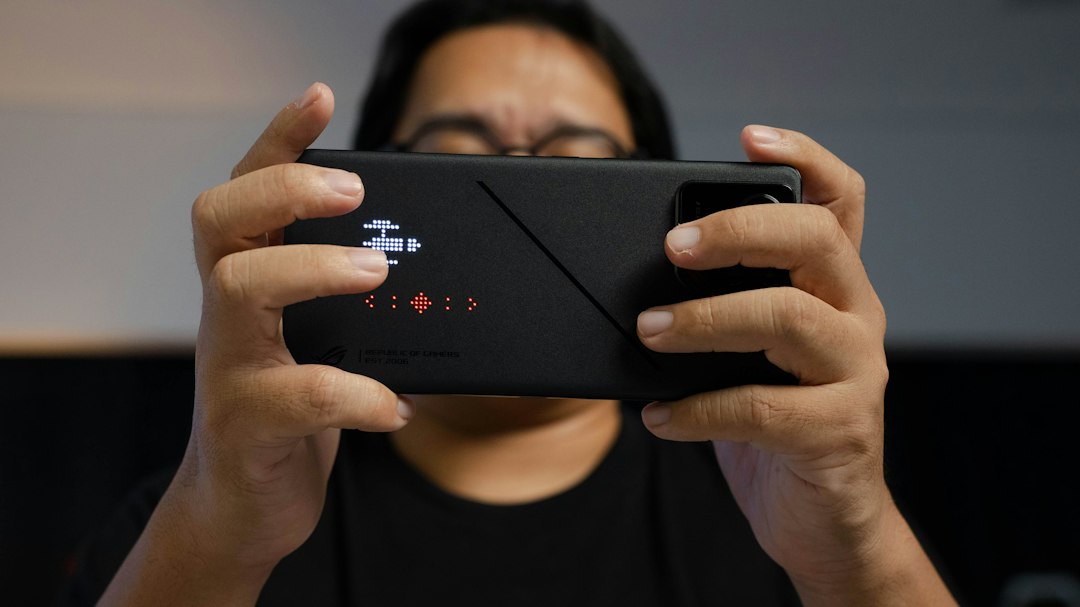
Many players connect Bluetooth controllers for a smoother experience. Both San Andreas and Vice City support external gamepads, which dramatically improves aiming accuracy and vehicle handling.
Best Controller Options for Mobile GTA#
- Xbox Series controller (Bluetooth mode) — widely compatible with Android and iOS
- Backbone One — clips directly onto iPhones for a console-like grip
- GameSir X2 — budget-friendly option that works with Android devices
If you stick with touch controls, customize the button layout in the settings menu. Increasing button size slightly improves accuracy during fast-paced missions.

Grand Theft Auto: San Andreas
Size1GB
PlatformAndroid/iOS
PriceFree
Information about size, installs, and rating may change as the app is updated in the official stores.
Performance Tips That Actually Make a Difference#
Frame rate drops ruin the experience, especially during chase sequences. A few adjustments inside the game settings can significantly improve performance without buying a new phone.
- Lower the draw distance to reduce rendering load on the GPU
- Disable shadows if your device has less than 3GB of RAM
- Close background apps before launching, freeing up active memory
- Enable “Power Saving” mode only if you’re not prioritizing frame rate
Thermal throttling is another hidden culprit. Phones that overheat during gameplay automatically reduce performance to protect internal components, so playing in a cooler environment helps maintain stable frame rates.
Battery Consumption During Extended Sessions#
Open-world games drain batteries faster than most mobile titles. Expect roughly 15-20% battery usage per hour on a fully charged mid-range smartphone, depending on screen brightness and graphics settings.
Playing while charging is common, but it generates extra heat. If your phone gets noticeably warm, take short breaks to avoid long-term battery degradation.
Avoiding Fake Apps and Scams#
Searching “GTA mobile” brings up countless clone apps promising free downloads of GTA V or GTA Online. These are almost always scams, malware, or low-quality ripoffs using the GTA name without permission.
Stick exclusively to official Rockstar Games listings on verified app stores. Legitimate titles always show Rockstar Games as the developer and require payment — there’s no authentic free version of San Andreas or Vice City.
- Never download APK files from unofficial websites promising “GTA 5 mobile”
- Check reviews and install counts before trusting any listing
- Verify the app icon matches official Rockstar branding exactly
Pricing and What You Get for Your Money#
Mobile GTA titles aren’t free, but they’re reasonably priced compared to console or PC versions. Prices fluctuate slightly by region and occasional sales.
| Title | Typical Price (USD) | Includes Cloud Save |
|---|---|---|
| GTA: San Andreas | $6.99 | Yes |
| GTA: Vice City | $4.99 | Yes |
| GTA III | $4.99 | Yes |
Cloud save support means you can switch between devices without losing progress, which is handy if you upgrade phones or play on both a tablet and smartphone.
Is It Worth Buying If You Already Own the PC Version?#
Mobile versions include updated textures and touch-optimized interfaces not found in the original PC releases. If portability matters to you, the purchase still makes sense even with an existing PC copy.
Save files don’t transfer between platforms, though, so you’ll start fresh on mobile regardless of your PC progress. 📱
Making the Most of Your Mobile GTA Experience#
Adjusting control sensitivity, using an external controller, and keeping your device cool all contribute to smoother gameplay. Small tweaks add up quickly.
Try experimenting with different control schemes during the first hour. Finding what works for your hand size and play style saves frustration during intense missions later on.
Whether you’re revisiting Vice City’s neon streets or exploring San Andreas for the first time, mobile gaming puts these classics within reach anywhere you go. The key is choosing official apps, matching your device’s capabilities, and tweaking settings until gameplay feels right. 🚗
Keep reading
You might also like

Best News and Curiosities App for Daily Facts
Staying informed in a world full of noise is tricky, but a well-built news and facts app can turn chaos into clarity,…
Best Apps to Watch Movies and Series Online
Choosing the right app for watching movies and series can transform how you unwind after a long day, giving you instant access…